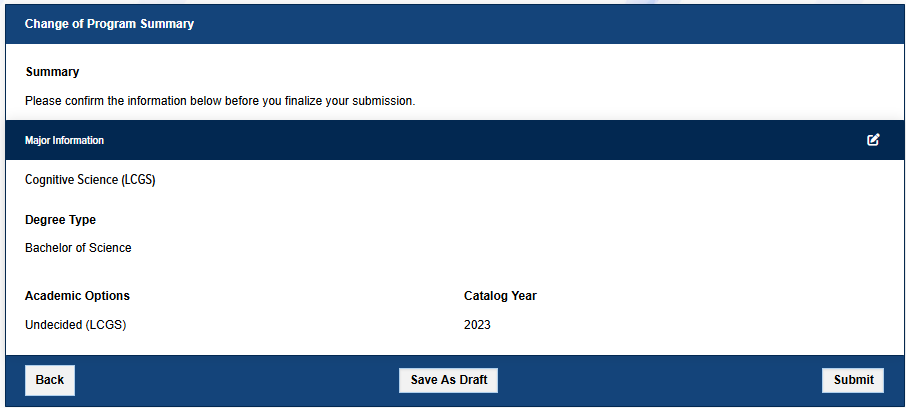



The Change of Program Petition is used by undergraduate students to declare or change a major, add majors, change a degree type (i.e. A.B. to B.S.), change academic options, add or change a minor, or change a catalog year. Once you submit the completed form, it will be routed to the appropriate major and college advisors for approval. A major and/or college advisor may require additional information, forms, or at times an advising appointment before approving your request. Once approval has been obtained from all reviewers, the change will be sent to the Registrar and recorded in Banner, the Student Information System.
Before You Begin
- Run a "what-if" degree audit analysis first so you can see the new requirements and how your current courses apply to your projected change(s).
- You must be in good academic standing to change your major or degree type. If you are not in good academic standing, consult with an academic advisor to determine your options.
- Submit any change of major or degree type before you file to graduate.
- You must be able to complete your declared major(s) within any stated college unit limits (225 units for most colleges, except Engineering). Students nearing 200 units may be required to complete an Excess Unit Petition first.
- Multiple majors are subject to each college's policies, including limits on how much upper division coursework may overlap between majors. See the UC Davis General Catalog and contact the appropriate college(s) for details.
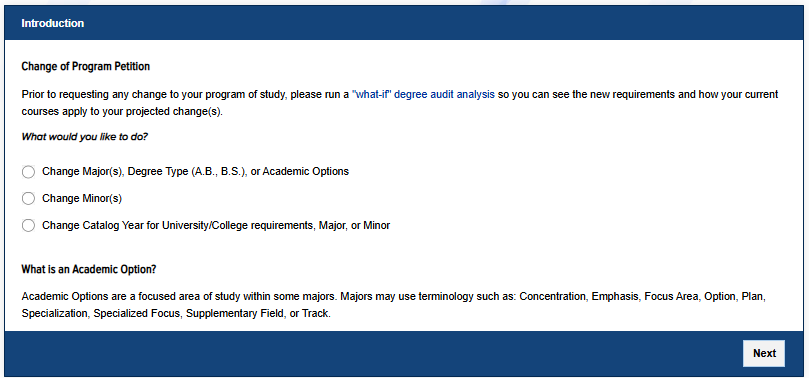
The form moves through the panels below one at a time. Use Next and Back to move between them. Which panels you see depends on what you choose in the Introduction.
Introduction
- Choose what you would like to do:
- Change Major(s), Degree Type (A.B., B.S.), or Academic Options
- Change Minor(s)
- Change Catalog Year for University/College requirements, Major, or Minor (shown when available to you)
- An Academic Option is a focused area of study within some majors. Majors may call it a Concentration, Emphasis, Focus Area, Option, Plan, Specialization, Specialized Focus, Supplementary Field, or Track.
- You must select an option before you can continue to the next panel.
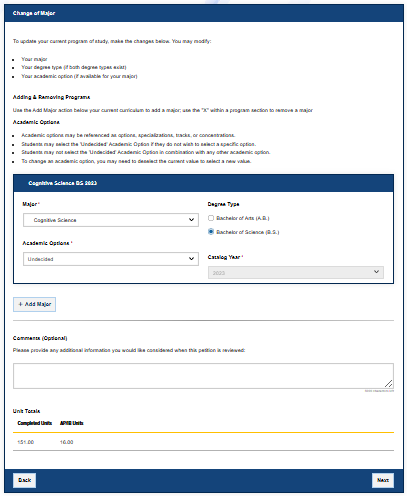
Change of Major
- Use this panel to change your major(s), degree type, or academic option.
- Select the program you want. If you are pursuing more than one major, add each one here.
- If the major offers both an A.B. and a B.S., select the degree type you wish to pursue. If the major requires an academic option, select it as well.
- Some majors display important information to read and consider before declaring; review any messages that appear.
- Unit totals are shown to help you and your advisors confirm you can complete the program within college unit limits.
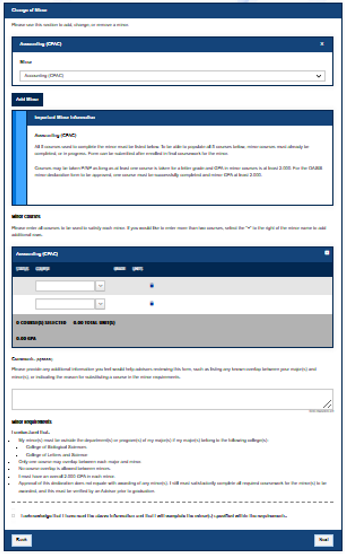
Change of Minor
- Use this panel to add, change, or remove a minor.
- Select a minor from the list. You can add more than one.
- Some minors display important information to read and consider before declaring; review any messages that appear.
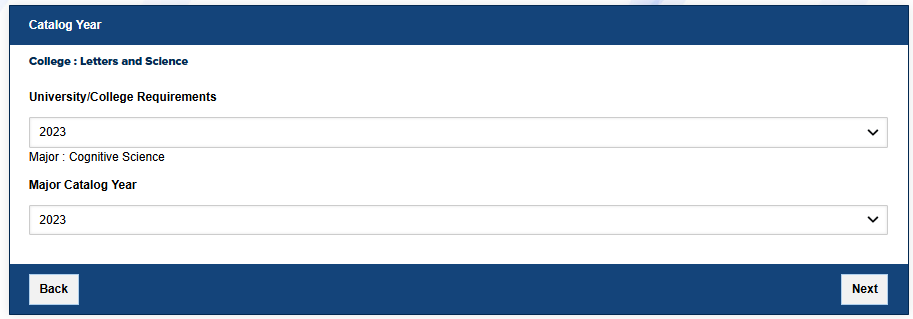
Catalog Year
- Use this panel to change the catalog year that governs your University/College requirements, major, or minor.
- Select the catalog year for each program shown. Your college and program determine which catalog years are available.
Upload Documents
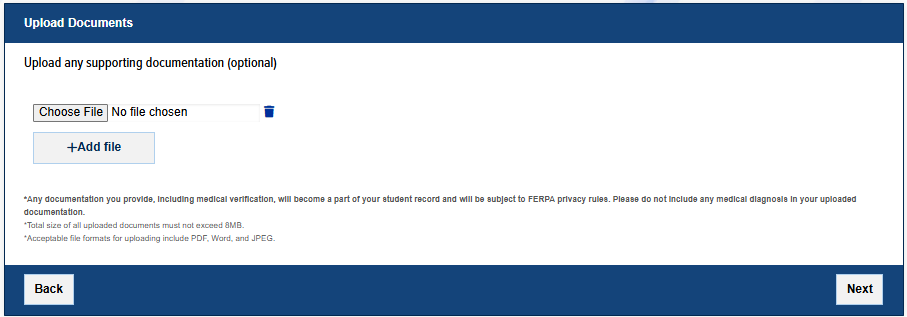
- Upload any supporting documentation for your request. Depending on your change, documentation may be required or optional.
- Total size of all uploaded documents must not exceed 8MB. Acceptable formats are PDF, Word, and JPEG.
- Anything you upload becomes part of your student record and is subject to FERPA privacy rules. Do not include any medical diagnosis in your documentation.
Change of Program Summary
- Review the summary of your request, which may include Major Information, Minor Information, Catalog Year Information, and Uploaded Documentation Information.
- If any section needs to be updated, select the pencil icon next to that section to edit it.
- When everything is correct, select Submit to route your petition for review. This is equivalent to digitally signing the form and turning it in.
- If you are not ready to submit, select Save As Draft to return and complete it later.